# 版本

**Midjourney 定期发布新模型版本以提高效率、一致性和质量。默认为最新型号，但可以使用`--version`或`--v`参数或使用`/settings`命令并选择型号版本来使用其他型号。不同的模型擅长处理不同类型的图像。**

`--version`接受值 1、2、3 和 4。\
`--version`可以缩写`--v`

***

### 当前型号 <a href="#dang-qian-xing-hao" id="dang-qian-xing-hao"></a>

Midjourney V4 模型是由 Midjourney 设计并在新的 Midjourney AI 超级集群上训练的全新代码库和全新 AI 架构。最新的 Midjourney 模型拥有更多关于生物、地点、物体等的知识。它更擅长正确处理小细节，并且可以处理包含多个角色或对象的复杂提示。第 4 版模型支持图像提示和多提示等高级功能。

该模型具有非常高的Coherency并且在[Image Prompts](https://docs.midjourney.com/image-prompts)方面表现出色。<br>

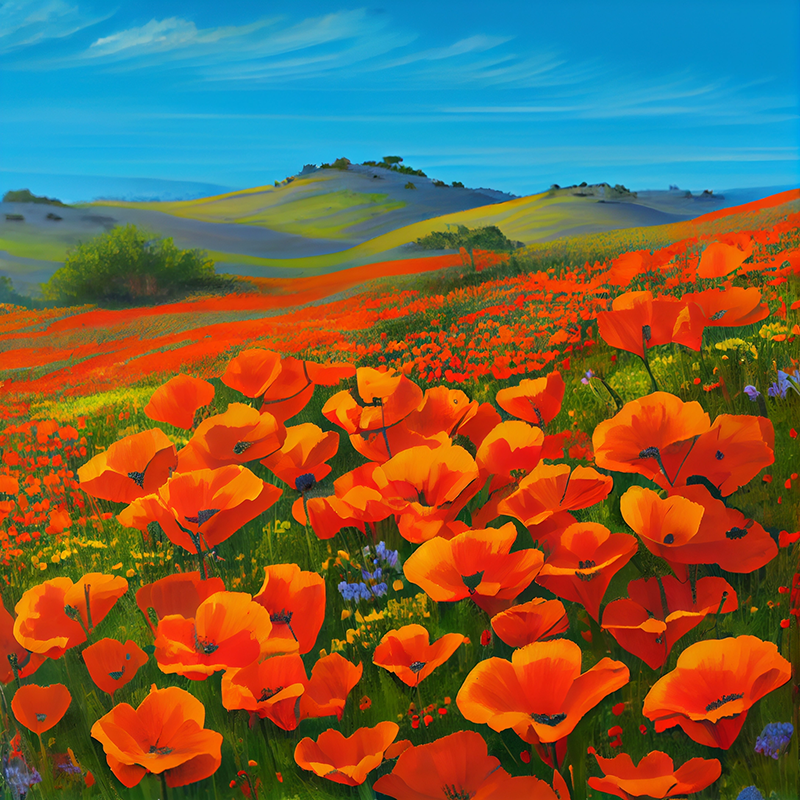
![Midjourney Version 4 example image of the prompt Vibrant California Poppies](https://cdn.document360.io/3040c2b6-fead-4744-a3a9-d56d621c6c7e/Images/Documentation/MJ_V4_Poppies.png)

Prompt: vibrant California poppies

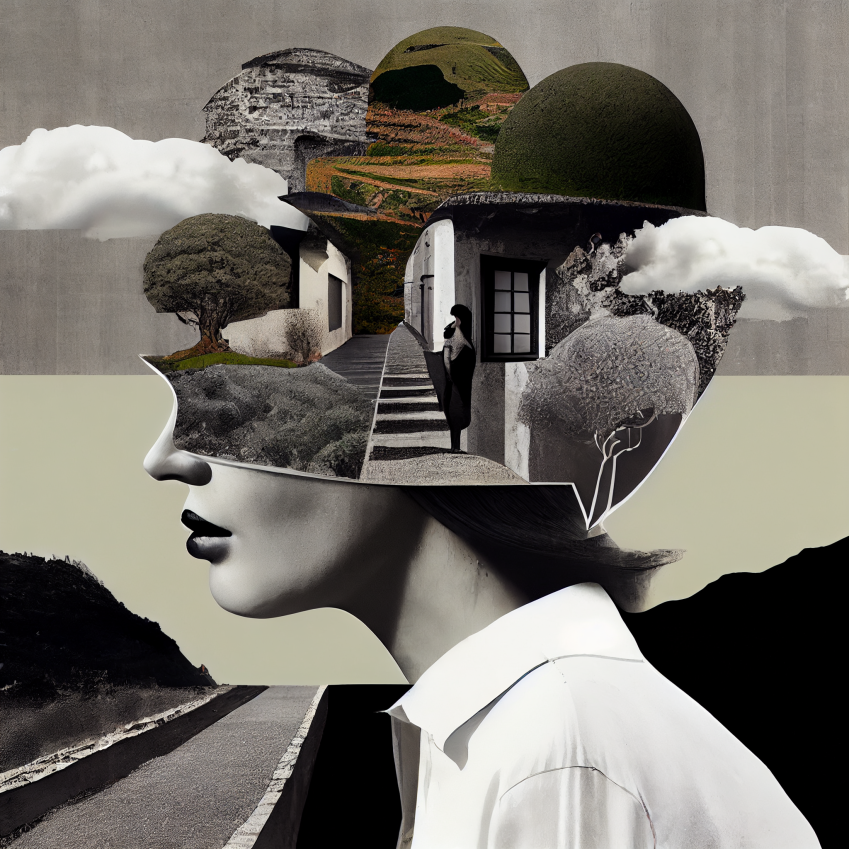
![](https://cdn.document360.io/3040c2b6-fead-4744-a3a9-d56d621c6c7e/Images/Documentation/high_contrast.png)

Prompt: high contrast surreal collage

#### Version 4 Styles 4a, 4b, and 4c

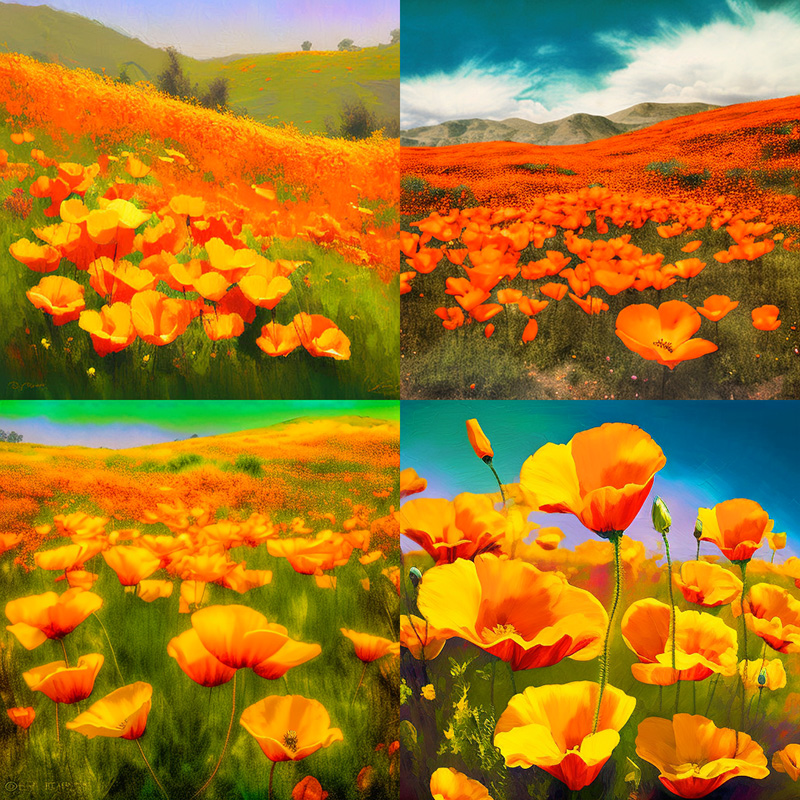
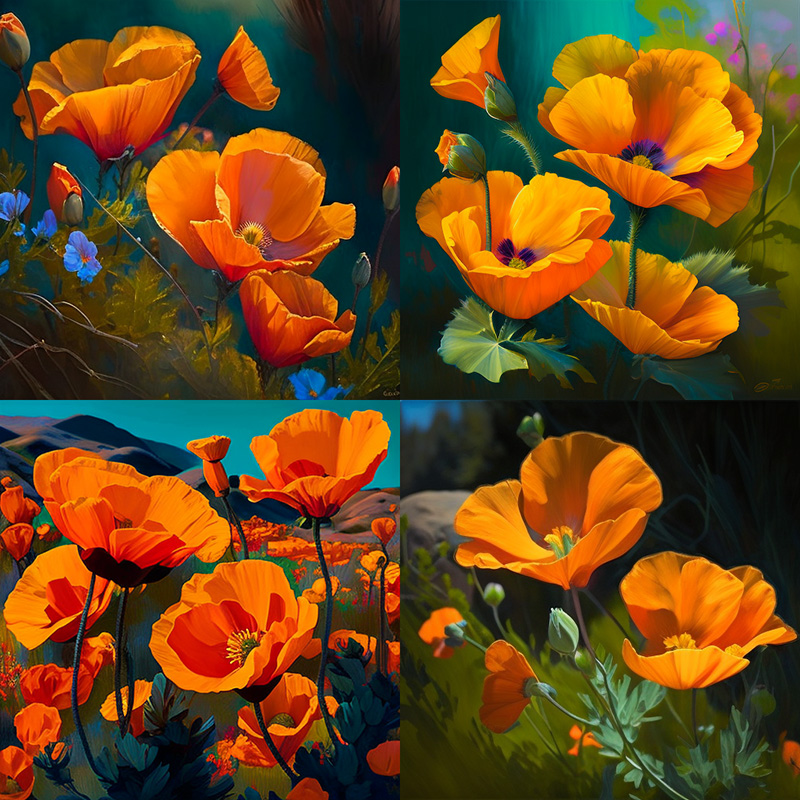
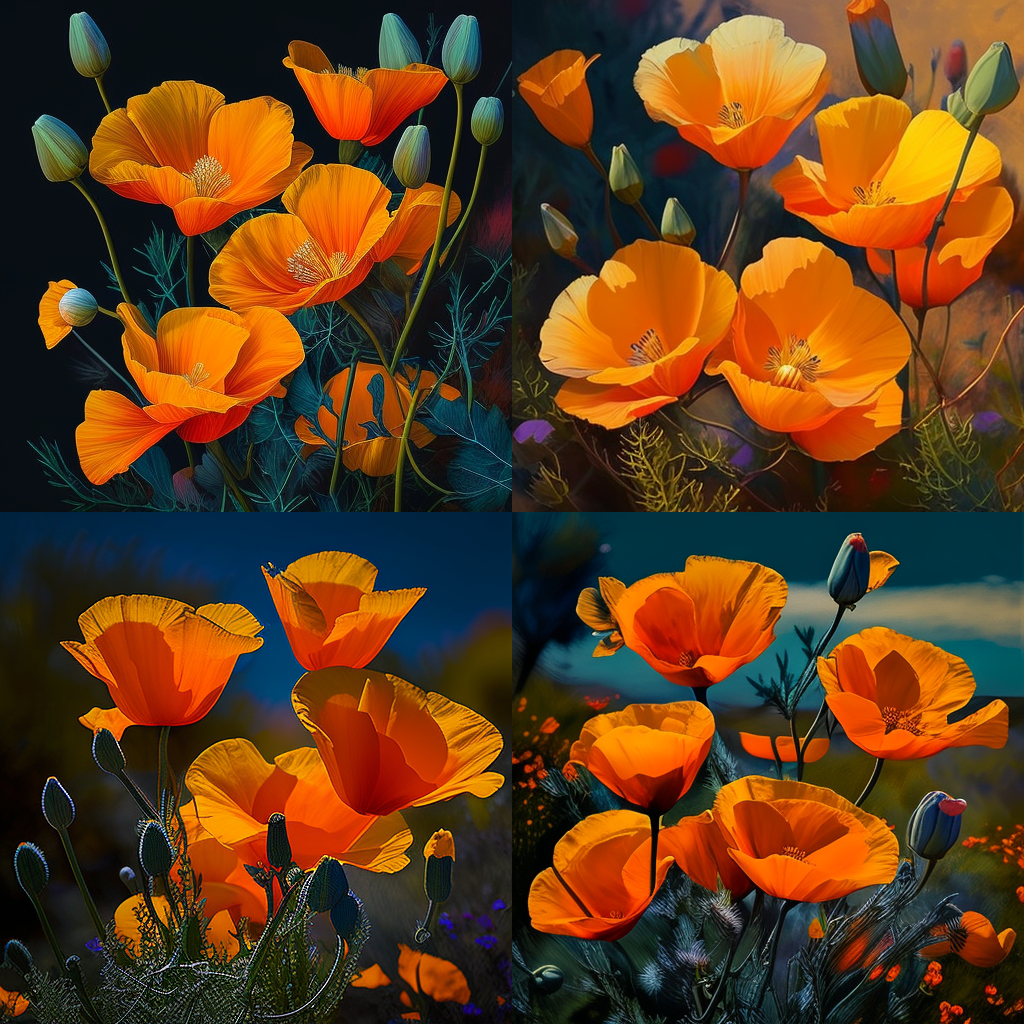
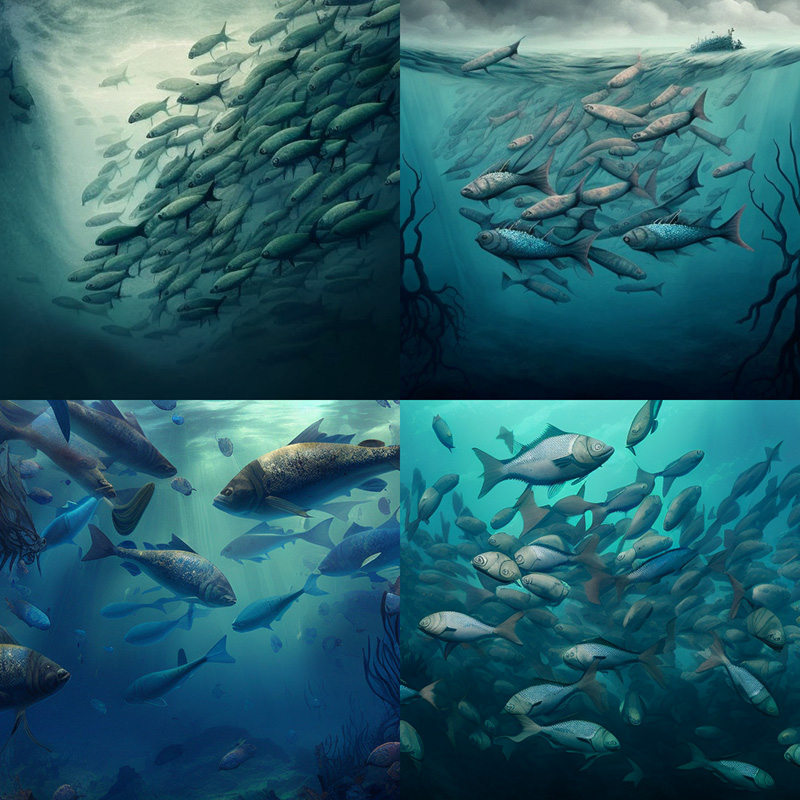
Midjourney Model Version 4 具有三种略有不同的“风格”，对模型的风格调整进行了细微调整。通过在 V4 提示末尾添加`--style 4a`、`--style 4b`或来试验这些版本。

`--style 4c --v 4 --style 4c` i是当前默认值，不需要添加到提示末尾

关于样式 4a 和 4b 的注释

`--style 4a`且`--style 4b`仅支持 1:1、2:3 和 3:2 纵横比。\
`--style 4c`支持高达 1:2 或 2:1 的纵横比

**`--style 4a`**
![Midjourney Version 4a example image](https://cdn.document360.io/3040c2b6-fead-4744-a3a9-d56d621c6c7e/Images/Documentation/MJ_V4a.jpg)

vibrant California poppies --style 4a

**`--style 4b`**
![Midjourney Version 4b example image](https://cdn.document360.io/3040c2b6-fead-4744-a3a9-d56d621c6c7e/Images/Documentation/MJ_V4b.jpg)

vibrant California poppies --style 4b

**`--style 4c`**
![Midjourney Version 4c example image](https://cdn.document360.io/3040c2b6-fead-4744-a3a9-d56d621c6c7e/Images/Documentation/MJ_4c.png)

vibrant California poppies --style 4c

**`--style 4a`**
![Midjourney Version 4a example image](https://cdn.document360.io/3040c2b6-fead-4744-a3a9-d56d621c6c7e/Images/Documentation/MJ_V4a_fish.jpg)

school of fish --style 4a

**`--style 4b`**
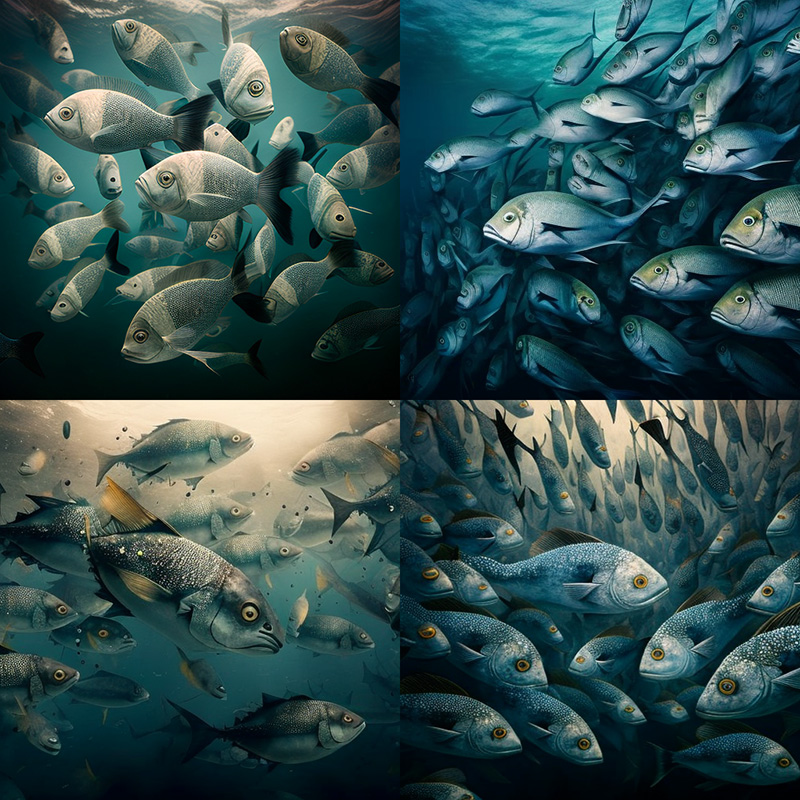
![Midjourney Version 4b example image](https://cdn.document360.io/3040c2b6-fead-4744-a3a9-d56d621c6c7e/Images/Documentation/MJ_V4b_fish.jpg)

school of fish --style 4b

**`--style 4c`**
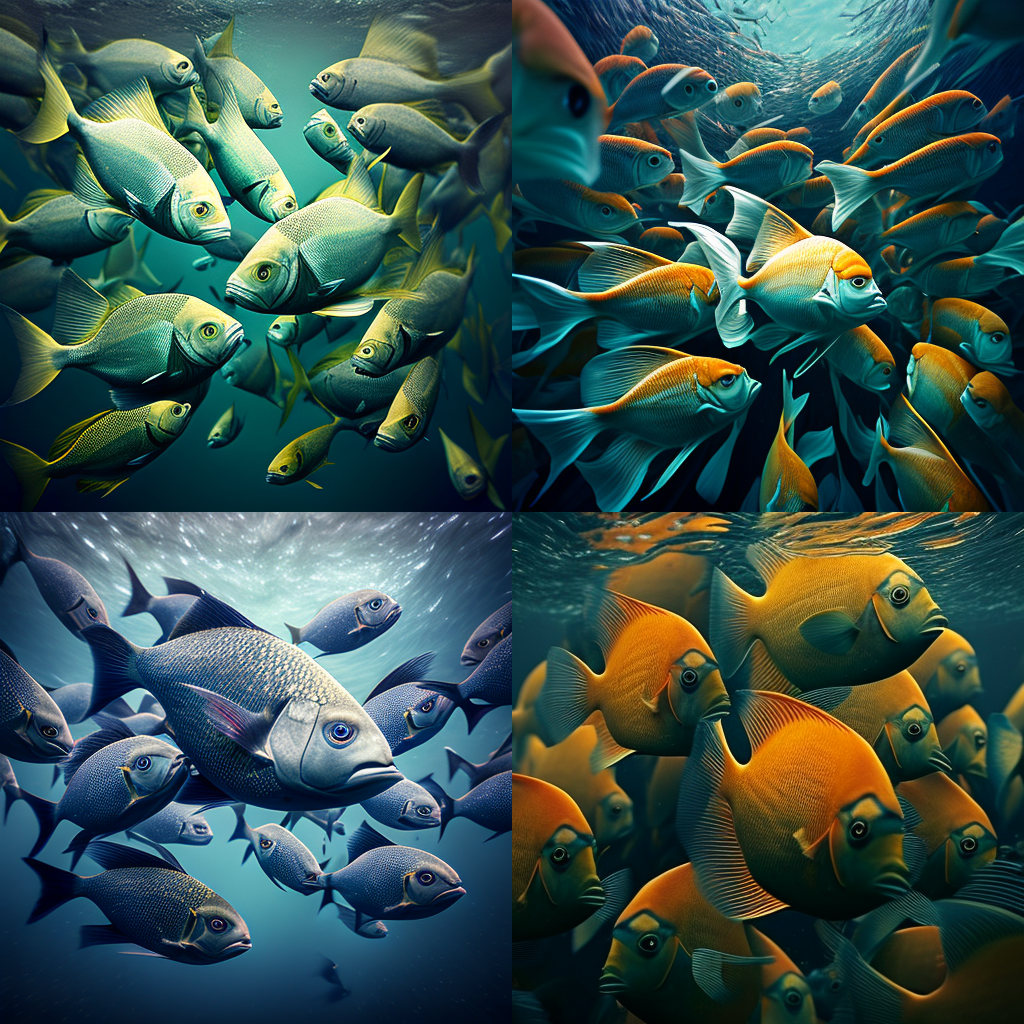
![Midjourney Version 4c example image](https://cdn.document360.io/3040c2b6-fead-4744-a3a9-d56d621c6c7e/Images/Documentation/MJ_4c_fish.png)

school of fish --style 4c

***

### 之前版本 <a href="#previous-models" id="previous-models"></a>

您可以使用`--version`或`--v`参数或使用`/settings`命令并选择模型版本来访问更早的 midjourney 模型。不同的模型擅长处理不同类型的图像。

prompt 示例: `/imagine prompt` `vibrant California poppies --v 1`

**`--version 3`**
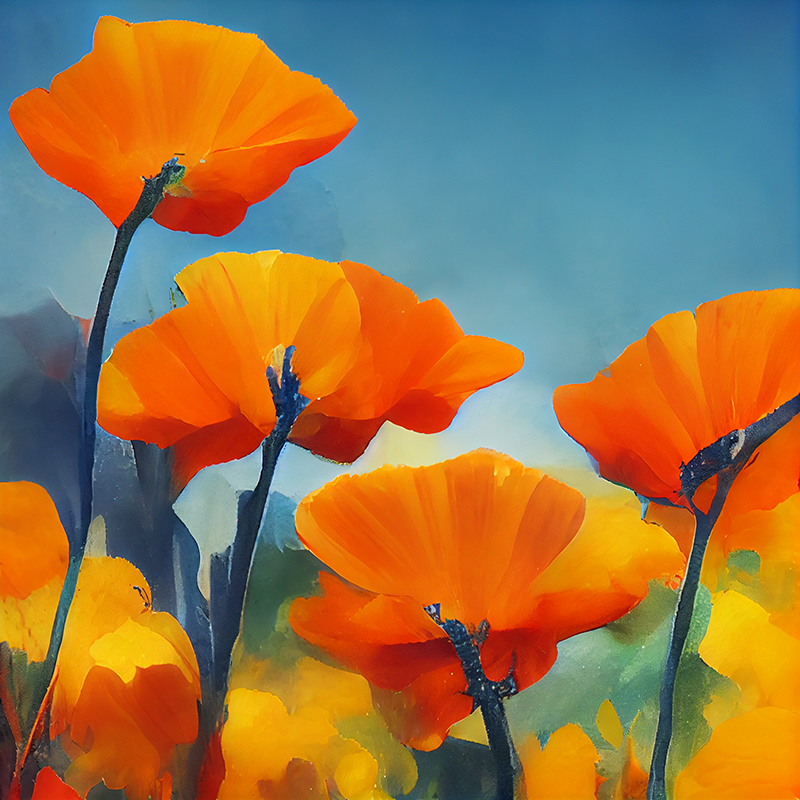
![Midjourney Version 3 example image of the prompt Vibrant California Poppies](https://cdn.document360.io/3040c2b6-fead-4744-a3a9-d56d621c6c7e/Images/Documentation/MJ_V3_Poppies.png)

default model: 07/22–11/22

*highly creative compositions*

*moderate coherency*

**`--version 2`**
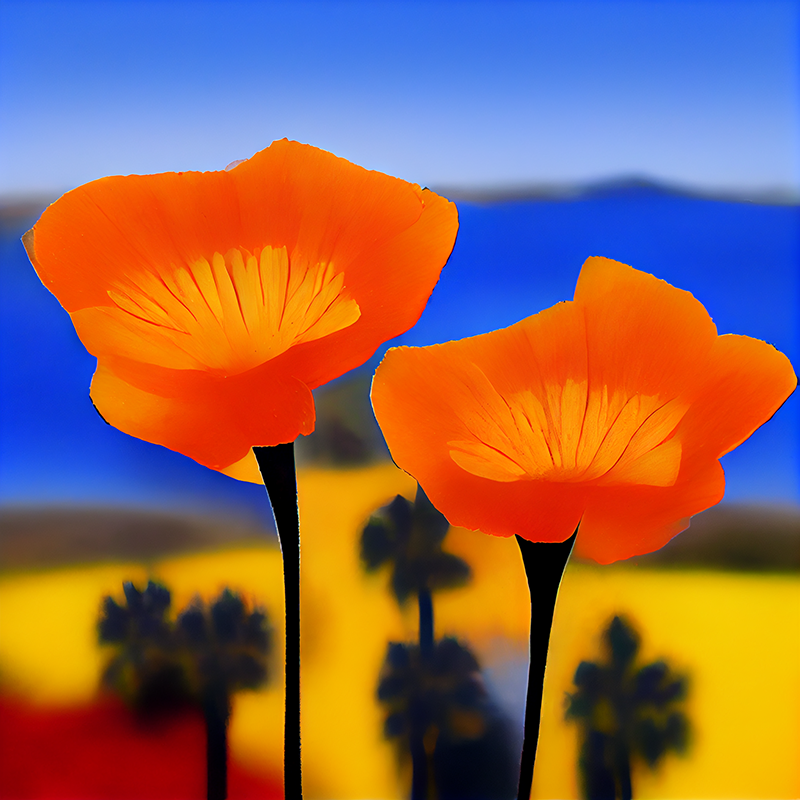
![Midjourney Version 2 example image of the prompt Vibrant California Poppies](https://cdn.document360.io/3040c2b6-fead-4744-a3a9-d56d621c6c7e/Images/Documentation/MJ_V2_Poppies.png)

default model: 04/22–07/22

*creative, colorful, and painterly*

*low coherency*

**`--version1`**
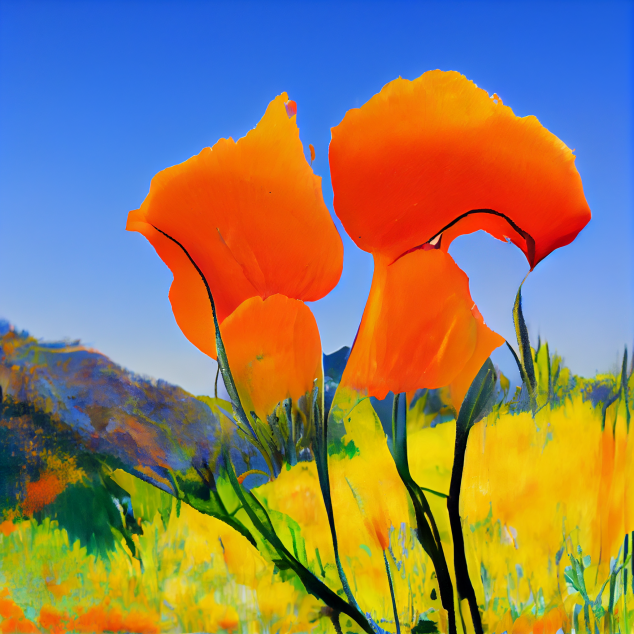
![Midjourney Version 1 example image of the prompt Vibrant California Poppies](https://cdn.document360.io/3040c2b6-fead-4744-a3a9-d56d621c6c7e/Images/Documentation/MJ_V1_Poppies.png)

default model: 02/22–04/22

*very abstract and painterly*

*low coherency*

**`--hd` (高清)**
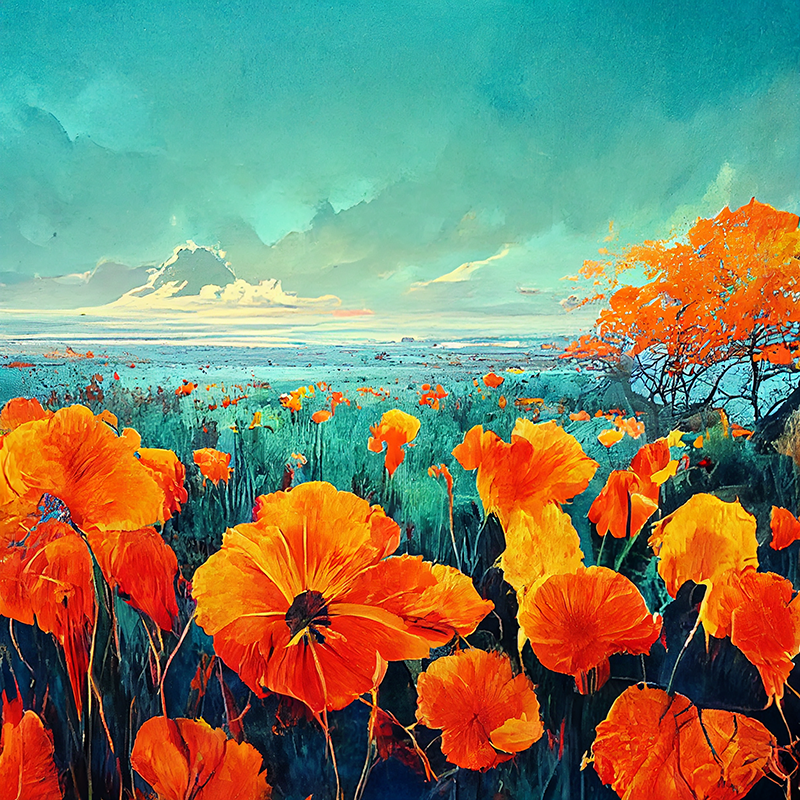
![Midjourney Version High Definition example image of the prompt Vibrant California Poppies](https://cdn.document360.io/3040c2b6-fead-4744-a3a9-d56d621c6c7e/Images/Documentation/MJ_HD_Poppies.png)

early alternative model

*busy detailed and abstract*

*low coherency*

***

### Niji 模型 <a href="#niji-model" id="niji-model"></a>

该模型是 Midjourney 和[Spellbrush](https://spellbrush.com/)`niji`之间的合作，经过调整可以制作动画和插图风格。该模型对动漫、动漫风格和动漫美学有更多的了解。一般来说，它在动态和动作镜头以及以角色为中心的构图方面表现出色。`--niji`

prompt 示例: `/imagine prompt` `vibrant California poppies --niji`

**`--v 4`**

![Midjourney Version v4 example image of the prompt vibrant california poppies](https://cdn.document360.io/3040c2b6-fead-4744-a3a9-d56d621c6c7e/Images/Documentation/MJ_4c.png)

vibrant California poppies

**`--niji`**
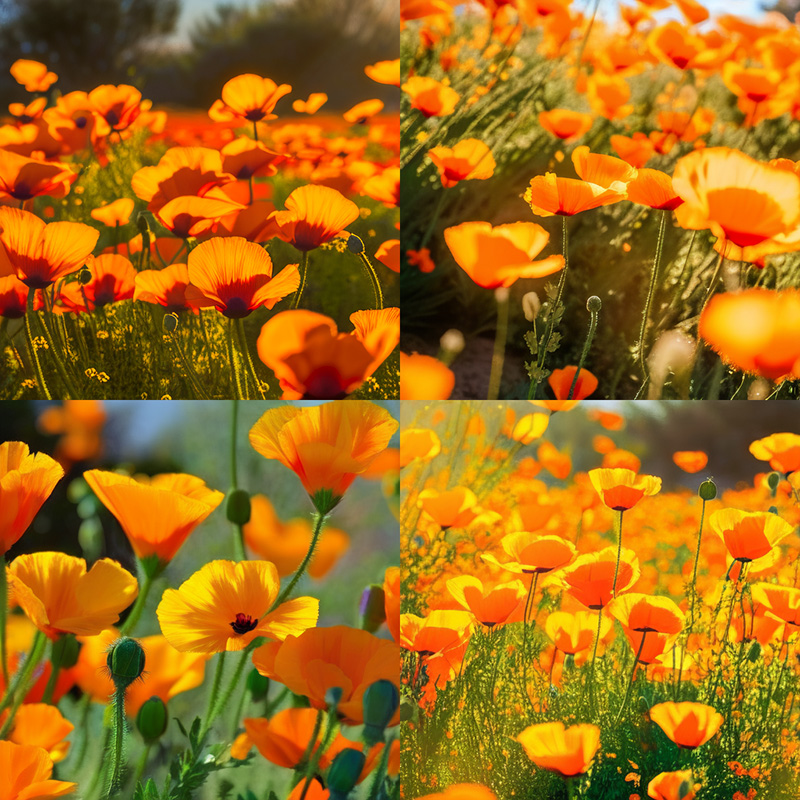
![Midjourney Version niji example image of the prompt](https://cdn.document360.io/3040c2b6-fead-4744-a3a9-d56d621c6c7e/Images/Documentation/MJ_Niji.jpg)

vibrant California poppies --niji

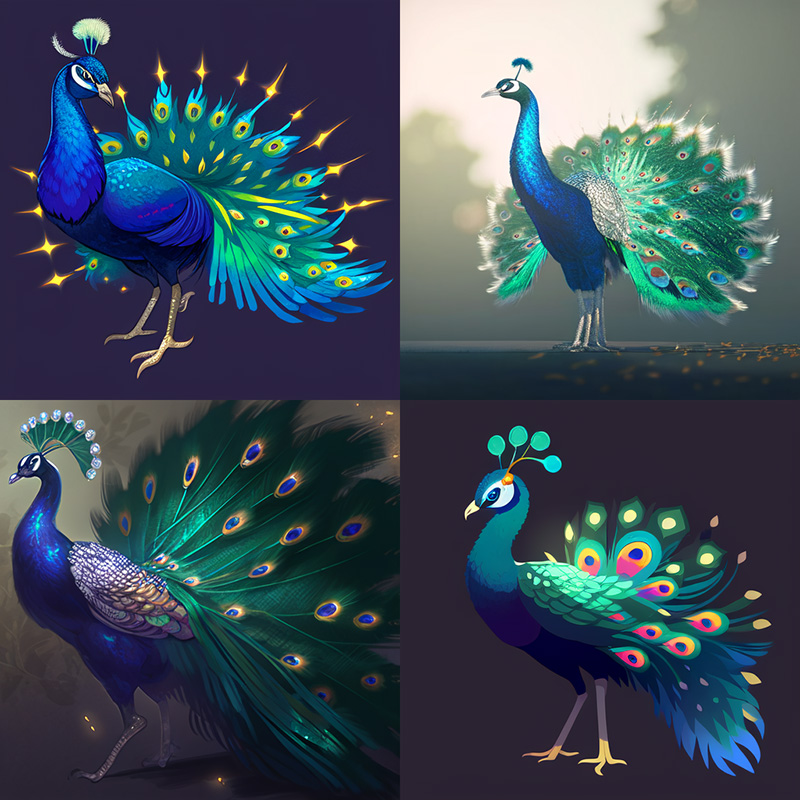
**`--v 4`**
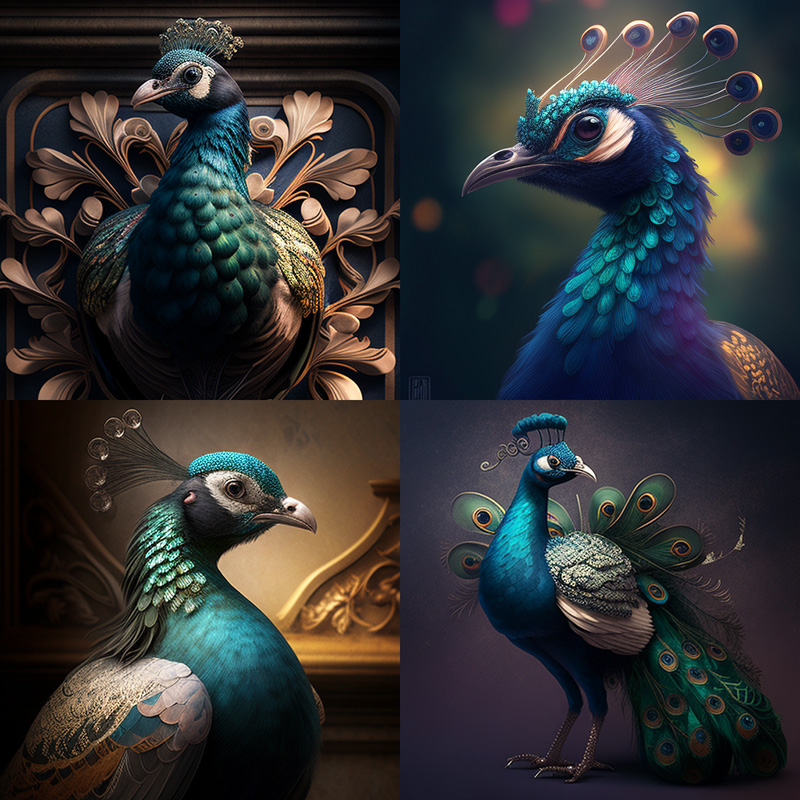
![Midjourney Version v4 example image of the prompt vibrant california poppies](https://cdn.document360.io/3040c2b6-fead-4744-a3a9-d56d621c6c7e/Images/Documentation/MJ_v4_peacock.jpg)

fancy peacock

**`--niji`**

![Midjourney Version niji example image of the prompt fancy peacock](https://cdn.document360.io/3040c2b6-fead-4744-a3a9-d56d621c6c7e/Images/Documentation/MJ_Niji_Peacock.jpg)

fancy peacock --niji

<br>

`--niji`型号 说明

Niji 不支持[`--stylize`参数](https://docs.midjourney.com/docs/stylize)。使用[`/settings`命令](https://docs.midjourney.com/docs/settings-and-presets)并选择`Style Med`重置为所有`--niji`提示的默认样式设置。\
Niji 支持多提示或图像提示。d

***

### Test 模型 <a href="#test-models" id="test-models"></a>

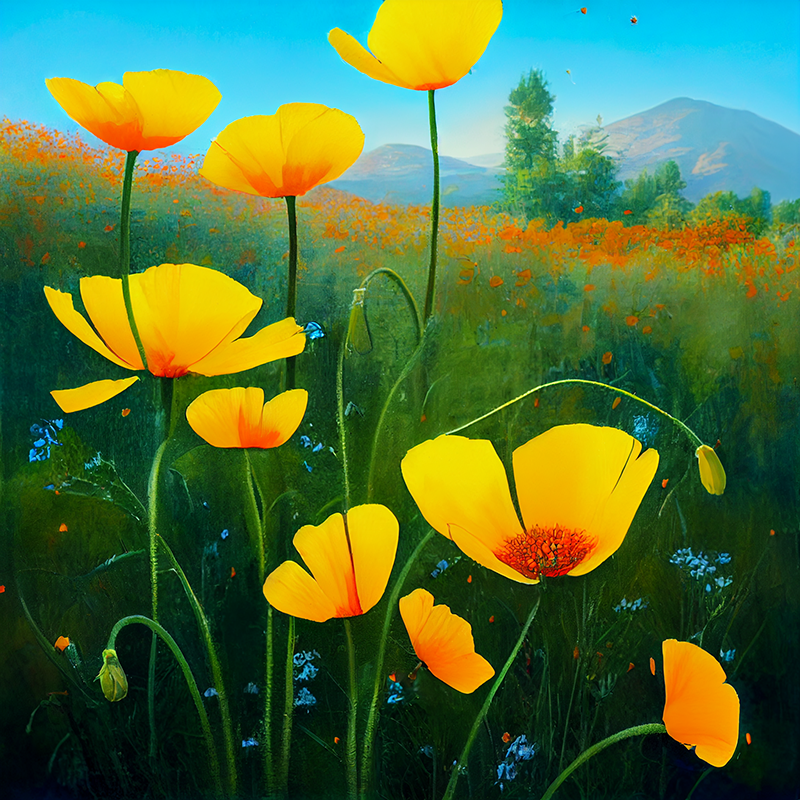
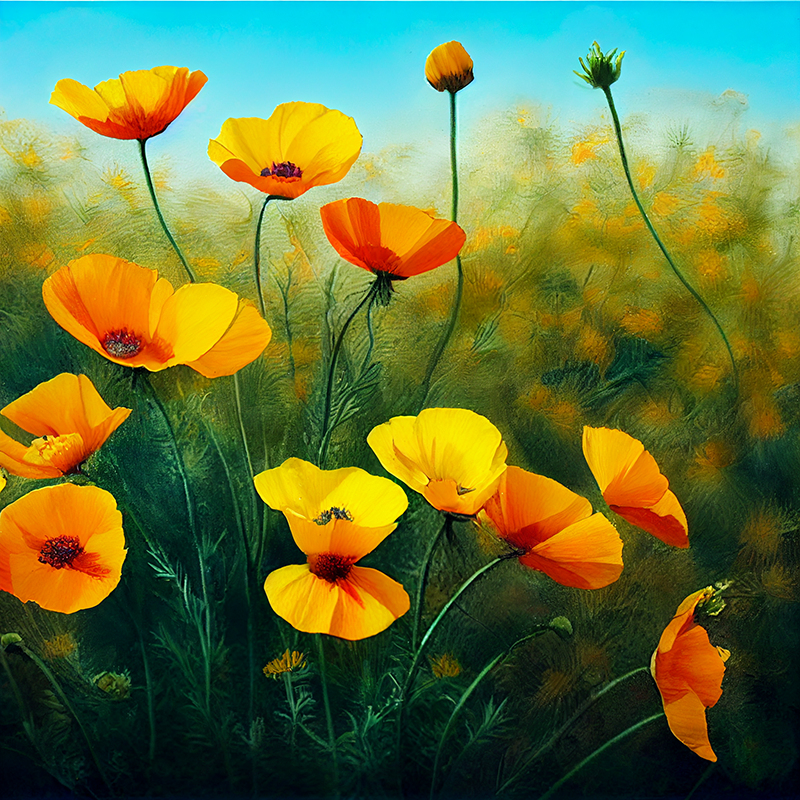
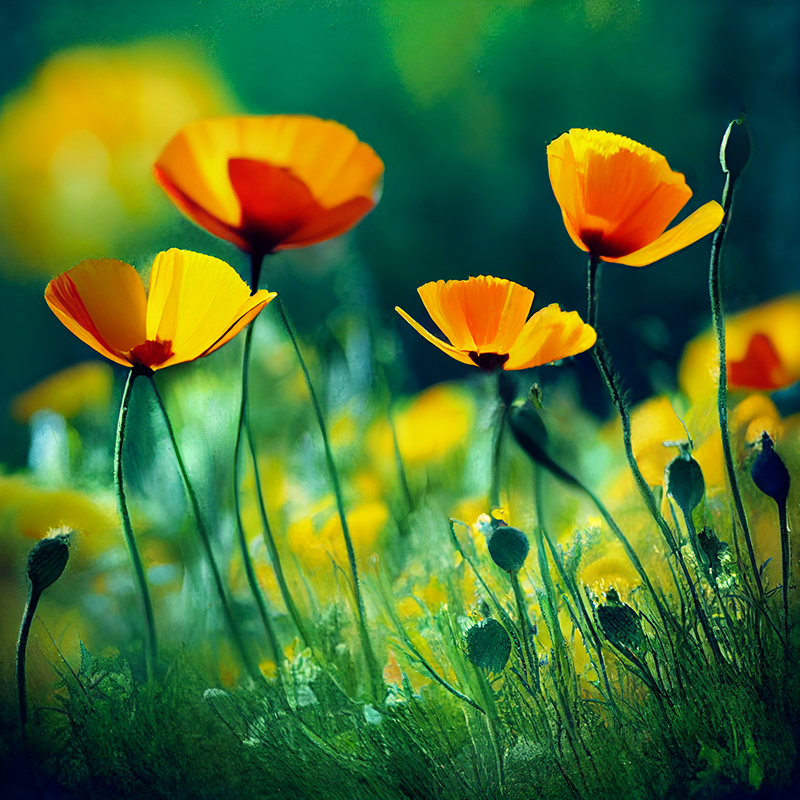
偶尔会临时发布新模型以供社区测试和反馈。目前有两种可用的测试模型：`--test`和`--testp`，它们可以与`--creative`参数结合使用以获得更多不同的成分。

prompt 示例: `/imagine prompt` `vibrant California poppies --testp --creative`

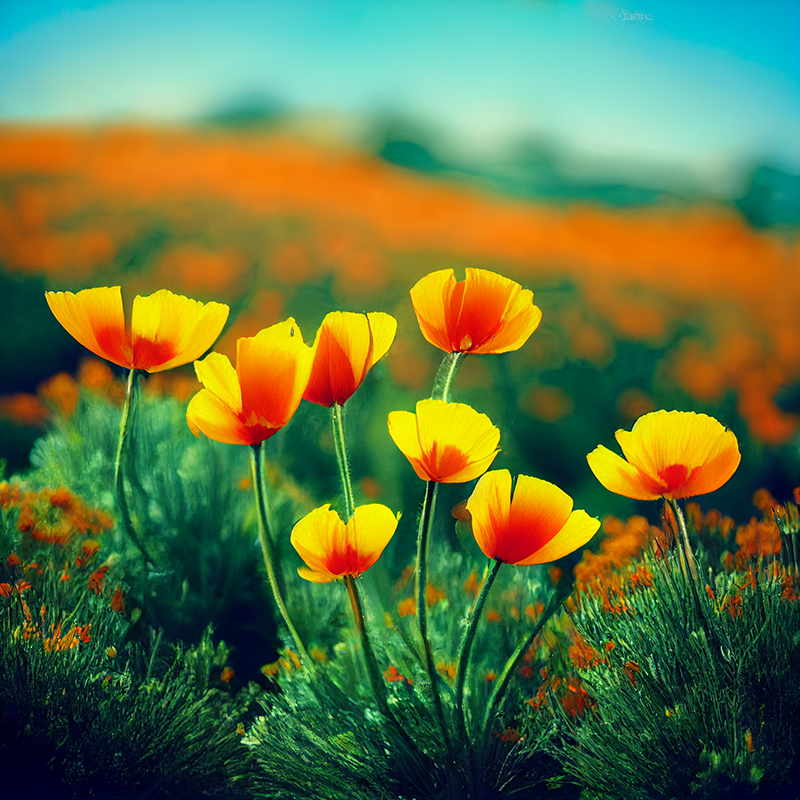
**`--test`**
![Midjourney Version testp example image of the prompt Vibrant California Poppies](https://cdn.document360.io/3040c2b6-fead-4744-a3a9-d56d621c6c7e/Images/Documentation/MJ_test_Poppies.png)

*A general-purpose artistic model with good coherency*

**`--test` + `--creative`**
![Midjourney Version testp creative example image of the prompt Vibrant California Poppies](https://cdn.document360.io/3040c2b6-fead-4744-a3a9-d56d621c6c7e/Images/Documentation/MJ_test_Creative_Poppies.png)

**`--testp`**

![Midjourney Version testp example image of the prompt Vibrant California Poppies](https://cdn.document360.io/3040c2b6-fead-4744-a3a9-d56d621c6c7e/Images/Documentation/MJ_testP_Poppies.png)

*A photo-realism model with good coherency*

**`--testp` + `--creative`**
![Midjourney Version testp creative example image of the prompt Vibrant California Poppies](https://cdn.document360.io/3040c2b6-fead-4744-a3a9-d56d621c6c7e/Images/Documentation/MJ_testP_Creative_Poppies.png)

Notes on current test models `--test` and `--testp`

当前测试模型的注释`--test`和`--testp`

测试模型仅支持`--stylize`1250–5000 之间的值。\
测试模型不支持多提示或图像提示\
测试模型的最大纵横比为 3:2 或 2:3。\
当宽高比为 1:1 时，测试模型仅生成两个初始网格图像。\
当纵横比不是 1:1 时，测试模型只生成一张初始网格图像。\
靠近提示前面的词可能比靠近后面的词更重要。

***

### 如何切换模型 <a href="#ru-he-qie-huan-mo-xing" id="ru-he-qie-huan-mo-xing"></a>

#### 使用版本或测试参数 <a href="#shi-yong-ban-ben-huo-ce-shi-can-shu" id="shi-yong-ban-ben-huo-ce-shi-can-shu"></a>

prompt末尾加上 `--v 1`, `--v 2`, `--v 3`, `--v 4`, `--v 4 --style 4a`, `--v4 --style 4b` `--test`, `--testp`, `--test --creative`, `--testp --creative` 或者 `--niji`&#x20;

![Animated Gif showing how the Midjourney version parameter is typed](https://cdn.document360.io/3040c2b6-fead-4744-a3a9-d56d621c6c7e/Images/Documentation/MJ_Parameter-Version.gif)

<br>

#### 使用设置命令 <a href="#shi-yong-she-zhi-ming-ling" id="shi-yong-she-zhi-ming-ling"></a>

键入`/settings`并从菜单中选择您喜欢的版本。

`1️⃣ MJ Version 1` `2️⃣ MJ Version 2` `3️⃣ MJ Version 3` `4️⃣ MJ Version 4` `🌈 Niji Mode` `🤖MJ Test` `📷 MJ Test Photo`


---

# Agent Instructions: Querying This Documentation

If you need additional information that is not directly available in this page, you can query the documentation dynamically by asking a question.

Perform an HTTP GET request on the current page URL with the `ask` query parameter:

```
GET https://limi.gitbook.io/mj-doc/yong-hu-zhi-nan/ban-ben.md?ask=<question>
```

The question should be specific, self-contained, and written in natural language.
The response will contain a direct answer to the question and relevant excerpts and sources from the documentation.

Use this mechanism when the answer is not explicitly present in the current page, you need clarification or additional context, or you want to retrieve related documentation sections.